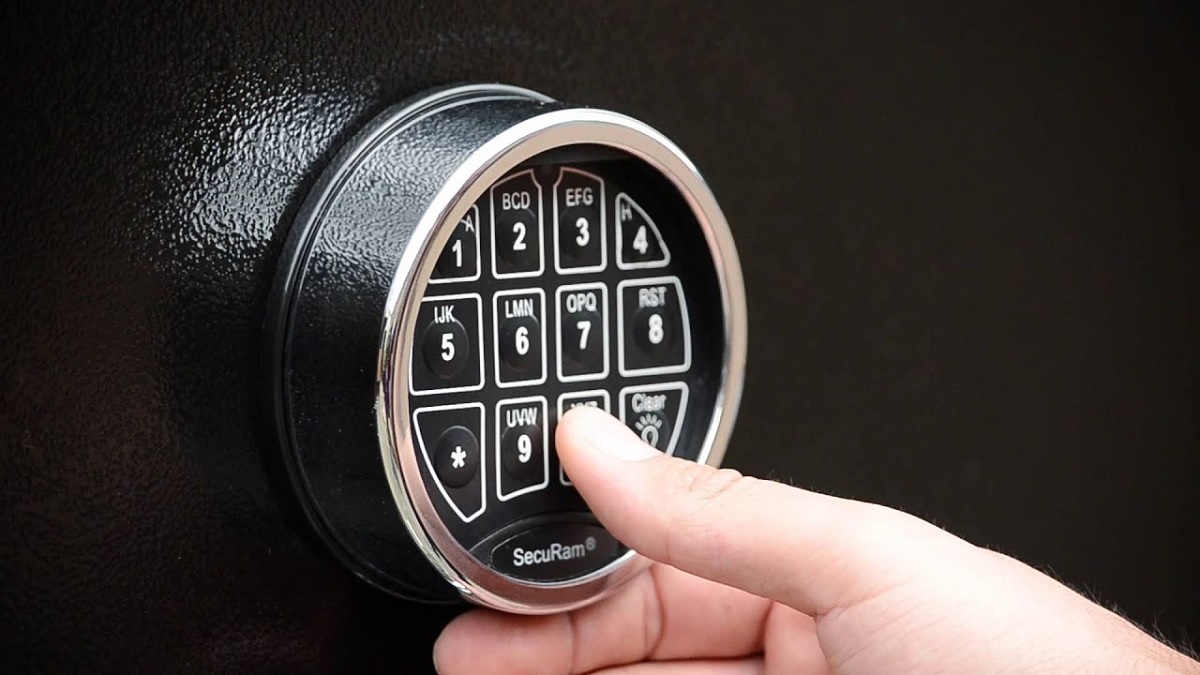
How to Reset Gun Safe Code – Easy Step-by-Step Guide for Every Safe Owner
Keeping your firearm secure starts with a reliable gun safe, but there are times when changing the access code becomes necessary. Whether you want better security, need to replace an old combination, or simply prefer a new passcode, understanding how to reset gun safe code helps you maintain safe and convenient access.
Every gun safe brand follows a slightly different reset process, yet the basic principles remain similar. Learning the correct steps prevents accidental lockouts and ensures your safe continues protecting your firearms, important documents, and valuables without unnecessary complications.
Many owners feel uncertain about changing the code because they worry about making mistakes. Knowing how to reset gun safe code with the right preparation gives you more confidence and reduces the risk of programming errors that could affect future access.
This guide explains the essential steps, common reset methods, brand-specific considerations, and practical safety tips to help you complete the process successfully. By following the recommended approach, you can update your safe’s access code while keeping security as the top priority.
Things to Do Before You Reset Your Gun Safe Code
Before changing the access code on your gun safe, take a few important steps to avoid unnecessary problems during the process. Proper preparation helps prevent lockouts, protects your stored valuables, and ensures the reset goes smoothly. Spending a few extra minutes getting everything ready makes the procedure safer and reduces the chances of entering incorrect settings or interrupting the programming sequence.
Check That the Safe Is Open
Always begin the reset process while your gun safe is unlocked and the door is fully open. This allows you to test the new code several times before closing the door, ensuring the lock accepts the updated combination without any issues. Keeping the safe open during programming also prevents the risk of locking yourself out because of an incorrect code entry.
Take a moment to inspect the locking bolts and the interior of the safe. Make sure nothing is blocking the mechanism or putting pressure on the door. A smooth-moving lock is much easier to test after the code has been changed.
Once the new code has been programmed, enter it several times with the door still open. Confirm that the lock disengages consistently and that the keypad responds correctly to every button press. Repeating this test builds confidence that the programming was successful before securing your firearms and valuables inside again.
Locate the Owner’s Manual
Different gun safe manufacturers use different programming methods, making the owner’s manual one of the most valuable resources before resetting the code. The manual explains the correct button sequence, reset procedure, and any model-specific instructions that should be followed carefully.
Review the programming section before pressing any buttons on the keypad. Some safes require a reset button inside the door, while others rely on a programming key or a specific keypad combination. Understanding these details beforehand minimizes mistakes and keeps the process organized.
The manual may also include troubleshooting advice, factory default information, battery recommendations, and security precautions. Having these instructions nearby saves time and helps you respond quickly to unexpected situations during the reset process instead of relying on guesswork.
Replace Weak Batteries
Electronic gun safes depend on a stable power supply during programming. Weak batteries can interrupt the reset process, cause keypad errors, or prevent the new code from being stored correctly. Installing fresh, high-quality batteries before starting helps ensure reliable performance throughout the procedure.
Look for signs that the batteries need replacement, such as a dim keypad display, delayed button response, warning beeps, or inconsistent unlocking. Even when the safe still opens normally, replacing older batteries is a smart preventive measure before changing important security settings.
After installing new batteries, test the keypad to confirm every button responds properly. Stable battery power reduces the chance of programming failures and gives the electronic lock the consistent voltage needed to save the updated access code successfully.
Keep Your Existing Code Available
Before changing the combination, make sure you know the current access code and have it written down in a secure location. Many electronic gun safes require the existing code before allowing you to create a new one, making it an essential part of the reset process.
Avoid relying solely on memory, especially when the current code has not been used recently. Confirm that the existing combination unlocks the safe without hesitation before beginning the programming sequence. This simple check verifies that the lock is functioning correctly and that you are starting from a known working configuration.
Keeping the original code available also provides a useful reference while testing the new settings. During the transition, you can compare the programming steps with the manual and verify that the safe accepts the updated code exactly as intended before completing the reset.
How to Reset Gun Safe Code Step by Step
Resetting your gun safe code is a straightforward process when you follow the correct sequence for your specific model. Although the exact steps vary between manufacturers, most electronic gun safes share a similar programming method. Taking your time with each step helps prevent programming errors and ensures your new code is stored correctly without affecting the safe’s locking mechanism.
Open the Safe and Locate the Reset Button
Start by unlocking your gun safe using the current access code and leave the door fully open throughout the entire reset process. Keeping the door open allows you to test the new code repeatedly before locking the safe, reducing the risk of accidental lockouts. Never rush to close the door immediately after programming because confirming the new combination is an essential part of the process.
Next, look for the reset or programming button inside the safe. On many electronic gun safes, this button is positioned on the back of the door near the keypad assembly or battery compartment. Some manufacturers protect the button with a small cover, while others leave it exposed for easier access. Refer to your owner’s manual to identify the exact location for your model.
Press the reset button once until you hear a beep, see a flashing light, or notice a message on the display indicating that the safe has entered programming mode. The signal varies by brand, so pay attention to the keypad indicators instead of assuming the reset has started.
Avoid pressing the reset button multiple times unless your manual specifically instructs you to do so. Repeated button presses may cancel programming mode or restart the sequence, requiring you to begin again from the first step.
Enter Your New Security Code
Once the safe enters programming mode, use the keypad to enter your preferred access code. Choose a combination that is easy for you to remember but difficult for someone else to guess. Many gun safes support four to eight digits, although some premium models allow longer codes for increased security.
Press each number carefully and avoid rushing through the sequence. Entering incorrect digits during programming can prevent the safe from accepting the new code. After typing the full combination, complete the process by pressing the confirmation button specified by the manufacturer, which may be the Reset, Enter, Lock, or Program key.
Listen for confirmation beeps or watch for indicator lights that signal the new code has been successfully stored. Most safes provide clear feedback after programming is complete. Wait until the confirmation finishes before touching any additional buttons on the keypad.
Record the new code in a secure location that only authorized users can access. Avoid storing it inside the gun safe or writing it somewhere easily visible, as doing so weakens the overall security of your firearm storage.
Test the New Code Before Closing the Door
Testing the new combination is one of the most important parts of the reset process. With the safe door still open, lock the electronic mechanism using the keypad and then enter the newly programmed code to confirm that the lock disengages properly. Repeat this process several times to ensure the keypad responds consistently.
Watch the locking bolts as they extend and retract during each test. Smooth movement indicates the electronic lock and mechanical components are working together correctly. Any hesitation, unusual sounds, or keypad errors should be investigated before the safe is closed.
Try entering the code at a normal pace rather than unusually fast or slow. This provides a more accurate test of how the safe will function during regular daily use. Consistent performance across multiple attempts confirms the programming was completed successfully.
Continue testing until you are completely satisfied that the new code unlocks the safe every time without delays or failed attempts. Spending a few extra minutes verifying the code greatly reduces the possibility of future access problems.
Close and Secure the Safe
After confirming the new code works correctly, remove any tools, manuals, or loose items from inside the safe that were used during the reset process. Close the door carefully and engage the locking mechanism according to the manufacturer’s instructions without forcing the handle or keypad.
Use the newly programmed code to unlock the safe several more times while the door is closed. Successful operation under normal conditions confirms that both the electronic lock and internal bolts are functioning exactly as expected after the reset.
Pay attention to the keypad display, indicator lights, and battery status during these final tests. Any warning signals or inconsistent responses should be addressed immediately before relying on the safe for long-term firearm storage. Replacing weak batteries at this stage can help prevent future electronic issues.
Once every test is successful, your gun safe is ready for regular use with the updated security code. Store the new combination responsibly, limit access to trusted individuals, and review your owner’s manual whenever future programming or maintenance becomes necessary.
How to Reset Gun Safe Code on Different Lock Types
Not every gun safe uses the same locking system, so the reset procedure depends on the type of lock installed. Understanding your safe’s locking mechanism helps you follow the correct programming steps and avoid unnecessary errors. Whether your safe uses an electronic keypad, biometric scanner, or mechanical combination lock, knowing the proper reset method makes the process much easier and more reliable.
Electronic Keypad Gun Safes
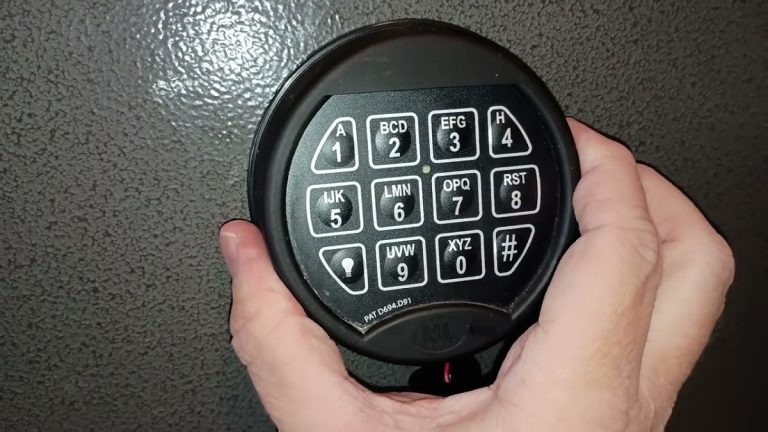
Electronic keypad gun safes are the most common type and usually offer the simplest reset process. Most models require you to unlock the safe, leave the door open, and press an internal reset or programming button before entering a new access code. After typing the new combination, you typically confirm it using a designated key such as Enter, Program, or Lock, depending on the manufacturer.
The exact button sequence varies from one brand to another, making the owner’s manual an important reference. Some electronic safes use flashing lights or audible beeps to indicate programming mode and successful code storage. Paying attention to these signals helps ensure each step is completed correctly.
Before closing the safe, test the new code several times while the door remains open. Confirm that the locking bolts extend and retract smoothly and that the keypad responds consistently. Multiple successful tests verify that the reset has been completed properly and reduce the chance of experiencing a lockout later.
Biometric Gun Safes
Biometric gun safes use fingerprint recognition instead of relying only on a numeric code. Many models also include a backup keypad, allowing you to update both the fingerprint database and the emergency access code. Resetting these safes generally begins by entering programming mode through an internal button or a specific keypad sequence.
During fingerprint registration, place the same finger on the scanner multiple times from slightly different angles. This creates a more complete fingerprint profile and improves recognition accuracy during daily use. Avoid moving your finger too quickly while the scanner records each scan.
After saving the new fingerprint and updating the backup code, test both unlocking methods several times. Confirm that the scanner recognizes your fingerprint consistently and that the keypad accepts the new code without delays. Verifying both systems ensures you always have a reliable method of accessing the safe.
Mechanical Combination Gun Safes
Mechanical combination gun safes follow a different process because they do not use electronic programming. Changing the combination often requires a change key, a specialized reset tool, or assistance from the manufacturer or a qualified locksmith. Many mechanical locks cannot be reset simply by turning the dial or pressing a button.
The reset procedure usually involves opening the safe, positioning the lock in a specific alignment, inserting the change key, and carefully dialing the new combination according to the manufacturer’s instructions. Every movement must be completed in the correct order to avoid creating an incorrect combination.
Once the new combination has been set, test it repeatedly with the safe door open before locking it. Rotate the dial exactly as instructed and verify that the lock opens smoothly every time. Careful testing helps confirm the combination has been changed successfully and that the locking mechanism continues to operate correctly.
Brand-Specific Reset Instructions
Gun safe manufacturers design their locking systems differently, so the reset procedure is rarely identical across brands. While most electronic safes follow a similar programming process, the location of the reset button, confirmation sequence, and keypad functions can vary. Reviewing the correct instructions for your specific brand helps prevent programming errors and ensures the new access code is stored successfully.
SentrySafe Gun Safes
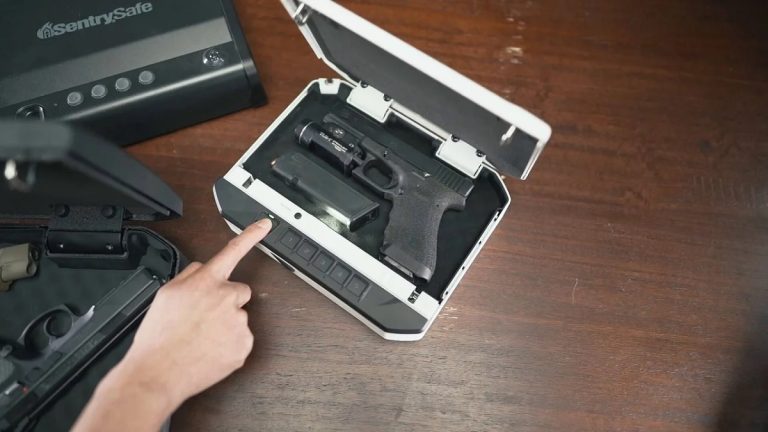
Many SentrySafe electronic gun safes allow you to change the access code by opening the safe, locating the programming button on the inside of the door, and pressing it to enter reset mode. The keypad usually signals programming mode with a beep or flashing indicator before accepting a new code. Follow the sequence listed in your owner’s manual to complete the update correctly.
After entering the new code, confirm it using the appropriate keypad button according to your model. Wait for the confirmation signal before pressing any additional keys. Interrupting the programming process too early may prevent the new code from being saved properly.
Test the updated combination several times while the safe door remains open. Make sure the lock disengages smoothly with every attempt and that the keypad responds consistently. Repeated testing helps verify that the new code has been stored correctly before returning the safe to normal use.
Stack-On and Winchester Gun Safes
Stack-On and Winchester gun safes often use electronic keypad systems with a reset or learn button located inside the safe door. After unlocking the safe, press the programming button and wait for the keypad to enter programming mode. A flashing light or audible beep usually confirms that the safe is ready to accept a new access code.
Enter your preferred security code carefully and complete the sequence using the confirmation key recommended by the manufacturer. Since programming methods differ between models, always follow the instructions supplied with your specific safe instead of relying on a universal procedure.
Before closing the door, unlock and relock the safe multiple times using the new code. Observe the keypad, locking bolts, and handle to ensure every component operates normally. Consistent performance during testing confirms that the reset process has been completed successfully.
Cannon, Liberty, and Other Premium Brands
Premium gun safe brands such as Cannon and Liberty may include advanced electronic locks with additional programming features, including multiple user codes, manager codes, or time-delay settings. Although the basic reset process usually begins by accessing an internal programming button, the available options depend on the lock model installed in the safe.
Some premium safes use third-party lock manufacturers, meaning two safes from the same brand can have different programming procedures. Checking the lock model number and consulting the correct owner’s manual ensures you follow the appropriate reset steps for your specific configuration.
After updating the code, perform several unlocking tests while the safe remains open. Verify that every authorized code functions correctly and review any additional security settings that may have been changed during programming. Taking the time to confirm each feature helps ensure the safe continues operating reliably after the reset.
Frequently Asked Questions
How Do You Reset A Gun Safe Code?
Resetting a gun safe code usually requires you to open the safe, locate the programming or reset button, and enter a new combination through the keypad. You should keep the door open while changing the code so you can test the new setting before locking the safe. The exact process depends on your safe brand and lock type, so checking the owner’s manual helps you follow the correct steps.
After entering the new code, test it several times to confirm the lock accepts the combination. This prevents accidental lockouts and ensures the updated code works properly.
Can You Reset A Gun Safe Code Without The Original Code?
In most cases, you cannot reset a gun safe code without the existing code or proper access to the safe. Many electronic gun safes require the current combination before allowing changes to the security settings. This feature prevents unauthorized users from changing the code and gaining entry.
Some models may have a backup key, override method, or manufacturer-specific recovery option. You should check your safe’s manual or contact the manufacturer for guidance. Avoid forcing the lock or attempting random codes because repeated incorrect attempts may activate security delays or temporarily disable the keypad.
Why Is My Gun Safe Not Accepting The New Code?
Your gun safe may reject a new code because of incorrect programming steps, weak batteries, keypad issues, or entering the combination too quickly. Electronic locks often require a specific sequence, and missing a confirmation button can prevent the new code from being saved.
Start by reviewing the programming instructions for your specific model and replace old batteries with fresh ones. Keep the safe door open while testing the new code to identify problems safely. If the keypad still does not recognize the combination, check for error messages or contact the manufacturer for additional troubleshooting support.
How Often Should You Change Your Gun Safe Code?
You should change your gun safe code whenever you believe security may have been compromised or when someone who should no longer have access knows the combination. Regularly updating your code can improve security, especially when multiple people use the safe.
Many owners choose to review their access codes periodically, such as every few months or once a year. When creating a new combination, avoid using easy-to-guess numbers like birthdays or repeated digits. A unique code that only trusted individuals know provides better protection for your firearms and valuables.
What Should You Do Before Resetting Your Gun Safe Code?
Before resetting your gun safe code, make sure the safe is open and that you have access to the owner’s manual. Confirm that you know the current code and check whether the batteries need replacement. Weak batteries can interrupt programming and cause errors during the reset process.
You should also understand where the reset button or programming controls are located. After entering the new code, test it multiple times with the door open before securing the safe. Preparing properly reduces mistakes and helps you complete the reset process without creating access problems.
Can A Locksmith Reset A Gun Safe Code?
A locksmith may be able to help reset or repair a gun safe lock, especially when you cannot access the safe or the electronic system is malfunctioning. Professional assistance can be useful for mechanical combination locks, damaged keypads, or situations where the programming instructions are unavailable.
You should choose a locksmith with experience handling gun safes because these locks require specialized knowledge. Before requesting service, have your safe’s brand and model information available. A qualified professional can determine whether the code can be reset, recovered, or whether the lock requires repair or replacement.
Final Thoughts
Resetting your safe access information can improve security and make daily use more convenient. Learning how to reset gun safe code helps you update your lock settings, replace an old combination, or create a more secure code that is easier for you to remember while keeping unauthorized users away.
Following the correct steps, checking your safe manual, and testing the new code before closing the door can prevent common mistakes. Always make sure the keypad, batteries, and backup access methods are working properly after completing the reset process.
A well-maintained gun safe provides better protection for your firearms and valuables. By regularly reviewing your security habits and updating your code when needed, you can keep your safe reliable, secure, and ready whenever you need access.