Does the Safariland Holster Need to Have an X300? Compatibility, Fit, and Buying Guide
Holster setups often depend on specific firearm configurations, especially when lights and accessories are involved. One common question among shooters is whether weapon-mounted lights require a dedicated holster design for proper fit and retention. Compatibility becomes important when equipment is added to the firearm, as it can change how securely the holster holds the gun.
Many Safariland holster models are built around weapon light systems, meaning the holster may rely on the light as part of its retention and indexing points. This has led to frequent discussion around different light models and how they affect holster selection and performance in real use.
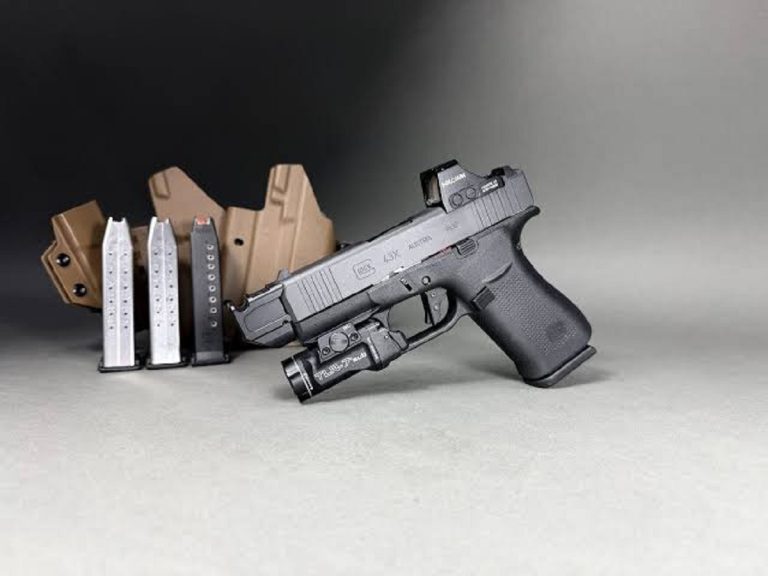
The question does the safariland holster need to have an x300 often comes up because the SureFire X300 is one of the most widely used weapon lights in duty and tactical setups. Its shape and mounting profile are commonly supported in many Safariland holster designs, making it a standard reference point for compatibility.
Safariland Holster Compatibility
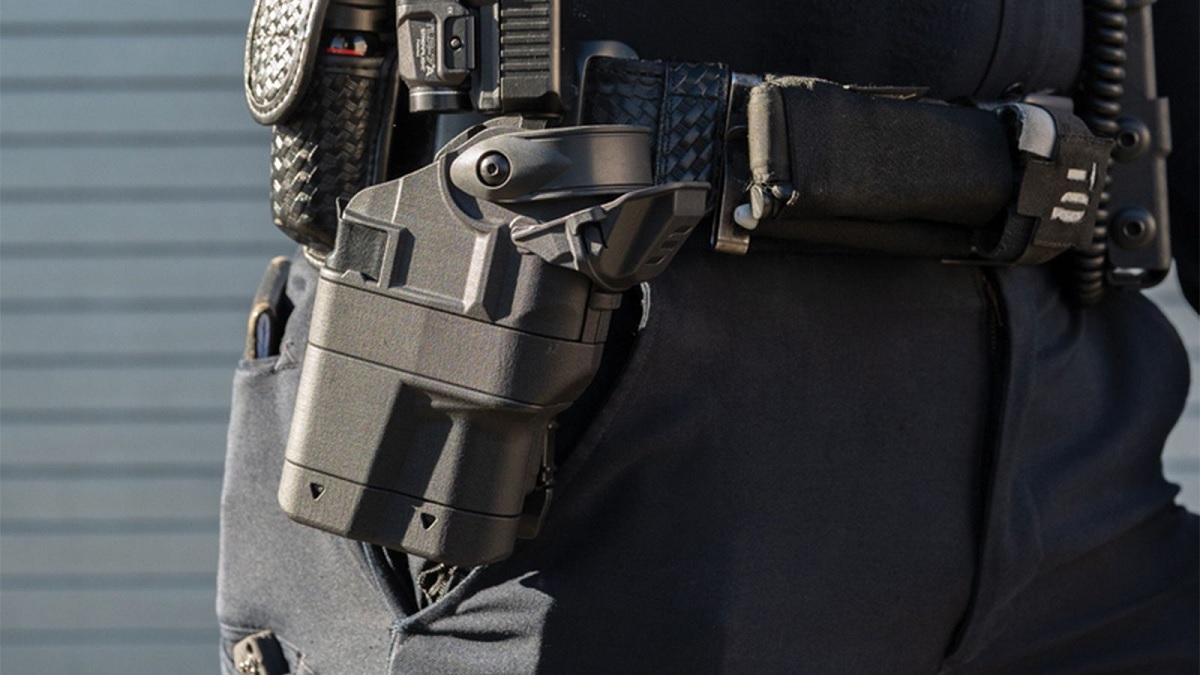
Safariland holsters are known for their strong retention systems and wide compatibility with duty pistols and weapon-mounted accessories. However, proper fit depends heavily on the exact firearm model and any attached equipment like lights or optics. Understanding compatibility helps ensure safe retention, smooth draw, and reliable performance in real-world use, whether for duty, training, or defensive applications.
Understanding Weapon Light Based Fit Systems
Many Safariland holsters are designed around weapon-mounted lights, meaning the holster shape and internal retention points are molded to match both the firearm and the light together. This system improves security because the holster grips the combined profile instead of just the pistol frame. As a result, removing or changing the light can affect how the firearm fits inside the holster.
The SureFire X300 is one of the most commonly supported lights in Safariland holster designs. Because of its standardized shape, many holsters are built specifically for pistols equipped with this light model. Other lights may not fit correctly, even if they attach to the same firearm, due to slight differences in dimensions or housing design. This is why matching the correct light model is critical when selecting a holster for duty or tactical use.
Firearm Model And Holster Pairing Requirements
Safariland holsters are not universal; they are molded for specific firearm models and configurations. This means the same holster will not fit every pistol, even if the size looks similar. Each holster is designed with exact dimensions to match slide shape, frame structure, and accessory setup. This precision ensures proper retention and safe handling during movement.
When a weapon light is added, the compatibility requirement becomes even more specific. The holster must match both the firearm model and the exact light being used. Even small differences in light placement or size can affect fit and retention. Shooters often check Safariland compatibility charts before purchasing to ensure the correct combination of pistol and light is selected for secure performance.
Retention Systems And Real-World Performance
Safariland holsters often use ALS (Automatic Locking System) or SLS (Self Locking System) mechanisms to secure the firearm in place. These systems work together with the molded shape of the holster to prevent accidental release while still allowing a smooth draw when needed. Proper compatibility ensures these retention systems function correctly.
When the firearm and light combination matches the holster design, retention becomes more reliable and consistent. This is especially important in duty or high-movement environments where the firearm must remain secure at all times. Incorrect light pairing or mismatched configurations can interfere with locking mechanisms or make drawing less smooth. Proper setup ensures both safety and performance remain balanced.
Choosing the Right Safariland Holster Setup
Selecting the correct Safariland holster setup is essential for achieving safe retention, smooth draw performance, and long-term reliability. Since Safariland holsters are built around specific firearm models and accessory configurations, choosing the right combination requires attention to detail. Factors like weapon lights, mounting systems, and intended use all influence the final setup and overall performance.
Matching Your Firearm And Accessory Configuration
The first step in choosing the right Safariland holster setup is identifying your exact firearm model and any attachments you plan to use. Safariland holsters are precision-molded, meaning even small differences in slide length, frame design, or accessory rails can affect compatibility. A proper match ensures the firearm seats correctly and engages the retention system without resistance.
Weapon-mounted lights are especially important in this process because they often become part of the holster’s retention design. Many holsters are built around specific light models, and using the wrong light can result in poor fit or unsafe retention. The SureFire X300 is commonly supported, but other approved lights may also be compatible depending on the holster model. Confirming this pairing before purchase helps prevent costly mismatches.
Understanding Retention Levels And Usage Needs
Safariland holsters come with different retention levels, typically ranging from Level I to Level III, depending on how much security is required. Higher retention levels provide increased protection against unauthorized access, making them ideal for duty or tactical environments. Lower retention systems offer faster draw speeds, which are often preferred for range use or concealed carry setups.
Choosing the right retention level depends on how and where the firearm will be used. A law enforcement officer may prioritize maximum security, while a civilian shooter may prefer a balance between retention and accessibility. Understanding your use case helps you select a holster that performs well under real conditions without slowing down essential movements or compromising safety.
Evaluating Light-Bearing Versus Non-Light Holsters
Another key decision involves whether to choose a light-bearing holster or a standard non-light design. Light-bearing holsters are molded to accommodate both the firearm and the attached weapon light, creating a secure fit that relies on the combined profile. This design improves retention but requires consistent use of the same light model.
Non-light holsters, on the other hand, are more flexible because they do not depend on accessory compatibility. These holsters are ideal for users who do not plan to mount a weapon light or who prefer a simpler setup. However, they may not support future upgrades without changing the holster. Choosing between these options depends on whether the shooter values adaptability or a dedicated, accessory-specific fit.
Installation and Setup Tips
Proper installation and setup play a major role in how well your firearm system performs with a Safariland holster. Even a high-quality holster can feel unreliable if it is not set up correctly. Paying attention to fit, mounting, and retention adjustments helps ensure smooth drawing, secure storage, and consistent handling in different conditions.
Proper Mounting And Belt Setup
A strong and stable mounting system is the foundation of any Safariland holster setup. Most users attach their holster to a duty belt or tactical belt using compatible mounting platforms such as UBL (Universal Belt Loop) or QLS (Quick Locking System). Choosing the right mount affects draw angle, comfort, and accessibility during movement.
When installing the holster, make sure it sits at a natural and comfortable height on your belt line. A position that is too high or too low can slow down your draw or create awkward wrist angles. Tighten all mounting screws evenly to prevent shifting during use. A stable setup ensures the holster remains secure during walking, running, or training exercises.
Adjusting Retention For Safe Handling
Safariland holsters are designed with adjustable retention systems that allow users to fine-tune how tightly the firearm is held in place. Depending on the model, this may include ALS, SLS, or dual retention mechanisms. Proper adjustment ensures the firearm stays secure while still allowing a smooth and controlled draw.
Start by setting retention at a moderate level and testing the draw repeatedly. If the firearm feels too tight, make small adjustments until it releases smoothly with deliberate motion. Avoid loosening retention too much, as this can reduce safety during movement or physical activity. A balanced setup provides both security and accessibility, which is essential for duty or training environments.
Testing Draw Speed And Consistency
After installation, testing your draw technique is an important step in finalizing your setup. A properly installed Safariland holster should allow a smooth, repeatable motion when drawing the firearm. Practice slow, controlled draws first to understand how the retention system engages and releases.
Focus on consistency rather than speed during early practice sessions. Repeated drills help identify any issues with belt position, grip alignment, or holster angle. If the draw feels unnatural, small adjustments to cant or ride height may be needed. Consistent testing ensures that the setup performs reliably under real-world conditions and supports safe firearm handling habits over time.
Frequently Asked Questions
Does A Safariland Holster Need To Have An X300?
No, a Safariland holster does not always need to have an X300. It depends entirely on the specific model you are using. Some Safariland holsters are designed for firearms without any weapon-mounted light, while others are specifically molded around the SureFire X300 profile for retention. If your holster is light-bearing, the X300 becomes part of the locking and fit system.
If you are using a non-light holster, the X300 is not needed at all. The requirement only applies when the holster is designed for that light setup.
What Happens If You Use A Safariland Holster Without An X300?
If you use a Safariland holster built for an X300 without actually mounting the light, the firearm will not fit correctly. The internal molding depends on the shape of the light to secure the gun, so removing it breaks the retention geometry. You may notice loose fitment, poor locking, or complete inability to seat the pistol.
This creates a safety issue because Safariland holsters rely on precise engagement points. Without the X300, the system cannot function as intended.
Can You Use A Safariland Holster If You Do Not Have A Weapon Light?
Yes, you can absolutely use a Safariland holster without a weapon light, but you must choose a non-light-bearing version. These holsters are designed specifically for the firearm alone and do not require accessories like the X300.
If you are not running a light, selecting the correct holster ensures proper retention and smooth draw. Using the wrong type can lead to poor fit and unsafe handling, so matching your setup is important.
Why Do Some Safariland Holsters Require The X300?
Some Safariland holsters require the X300 because the retention system is built around the combined shape of the pistol and the light. Instead of locking only on the firearm, the holster also uses the X300 body as a reference point for secure retention.
This design improves stability, especially in duty or tactical environments. Without the X300 installed, the holster loses its intended locking structure and will not properly secure the firearm.
Can You Switch Between Light And No-Light Setups In Safariland Holsters?
No, you generally cannot switch between light and no-light setups in the same Safariland holster. A holster molded for the X300 will not properly fit a firearm without it, and a standard holster will not accommodate the added bulk of the light.
If you change your configuration, you will need a different holster for each setup. This ensures consistent retention, safety, and reliable performance every time you draw.
How Do You Know If Your Safariland Holster Needs An X300?
You can tell if your Safariland holster needs an X300 by checking the product model and description. If it is labeled as a light-bearing holster, it will usually specify compatibility with the X300 or similar weapon-mounted lights. The shape of the holster opening is also a clear indicator since it will be wider or contoured for the light.
Always match your firearm and light setup before buying to avoid compatibility problems.
Is The X300 Required For Duty Use In Safariland Holsters?
The X300 is not strictly required for duty use, but it is very common in duty-rated Safariland holsters. Many professionals use weapon-mounted lights for identification in low-light situations, so holsters are often designed around that configuration.
However, duty holsters are also available for firearms without lights. The requirement depends on your equipment setup and operational needs rather than the holster system itself.
Final Words
In the end, Safariland holsters are built around specific firearm and accessory combinations, which means compatibility depends on the exact model rather than a single universal requirement. The design focuses on secure retention, and weapon-mounted lights often play a key role in that system.
The question does the safariland holster need to have an x300 comes down to holster selection, not a strict rule. While many Safariland holsters are designed around the SureFire X300 due to its popularity and consistent profile, not every model requires it. Some holsters are built for other lights or for non-light setups entirely.
Understanding your firearm, intended use, and chosen holster model is what truly matters. Matching the correct configuration ensures proper fit, reliable retention, and smooth performance, whether you are using an X300 or another compatible setup.